2019
1.7
4.8
Increase in App Store rating
Context
As one of the nation's largest provider of health savings and other types of reimbursement accounts, HealthEquity is in a unique nexus of healthcare and finance. The HealthEquity mobile app serves all of the functions necessary for an account holder to manage their account including checking balances, paying providers, requesting reimbursements, saving necessary documentation, etc.
Problem
An internally-driven project, the mobile app redesign was prompted by a scheduled change of the app's full tech stack, a move to both modernize development and enhance security. Heads of Product, UX, and Engineering all agreed that it would also give us a perfect opportunity to update the app's design, starting with a critical examination of the mobile experience from the ground up, identifying key opportunities for improvement.
Research
Cross-collaboration was absolutely vital to the process. Early on, we brought in as many people as we could with unique insights on how the members use the mobile app, including:
Product Owners and Engineers with combined decades of previous experience in guiding mobile app development according to user needs and motivations
Customer Experience managers mining a wealth of user feedback to identify critical insights
Market Researchers keeping ahead of industry trends and movement
We conducted workshops together and built a series of user journey maps to explore variations on the information architecture and language directive. We built our personas to align goals under their particular usage patterns and outlook:
Spender
Typically someone older who may be dealing with multiple health concerns
More likely to spend much of the funds in their health savings account as soon as it is replenished
Frequent use of the app, checking balances and making payments or requesting reimbursements
Saver
Low fund use
Typically a younger person with fewer health concerns
May only enroll in HSA only because company is matching
Highly infrequent use of app, no need to check balances when not using account
May also save receipts to reimburse all at once at end of year
Investor
Low-to-medium fund use, may only use funds for annual checkup, occasional urgent care, etc.
Actively invests excess HSA funds
More active on app, may log in regularly to check on investments
Analysis
Our study of member behavior and goals yielded several insights of note:
Key Insights
Most members want to interact with the app as little as possible
Members open app, check a balance or file a receipt, then close the app
Over 90% of logins are members just checking their balance
Members need to get a balance to see if they have funds to pay an expense
After balance, most remaining members needed to complete one of three specific tasks
Pay a healthcare provider, request reimbursement for an out-of-pocket expense, then upload a photo of a receipt
Opportunities
With those insights in mind, we concluded that our main task was therefore to remove as much friction as possible (without compromising security) for the member to accomplish their goals.
This could be done by:
Reworking information architecture (especially the main navigation) to prioritize the top 5 user jobs to be done
Simplifying number of pages, streamline content
Clarifying navigation to make it easier to locate information
Unifying design under a clear, singular design system
Ideation
Most of our team's journeys begin at the whiteboard. Over several days I mapped and re-mapped the architecture of the app, soliciting feedback and testing with people from across the company to help solidify the app's user journeys.
I put several sketches on paper or in Sketch to address the key insights head on. We wanted to put the members' account balance information immediately in view on opening the app, and then show the members a menu of quick actions to accomplish the other high-frequency tasks.
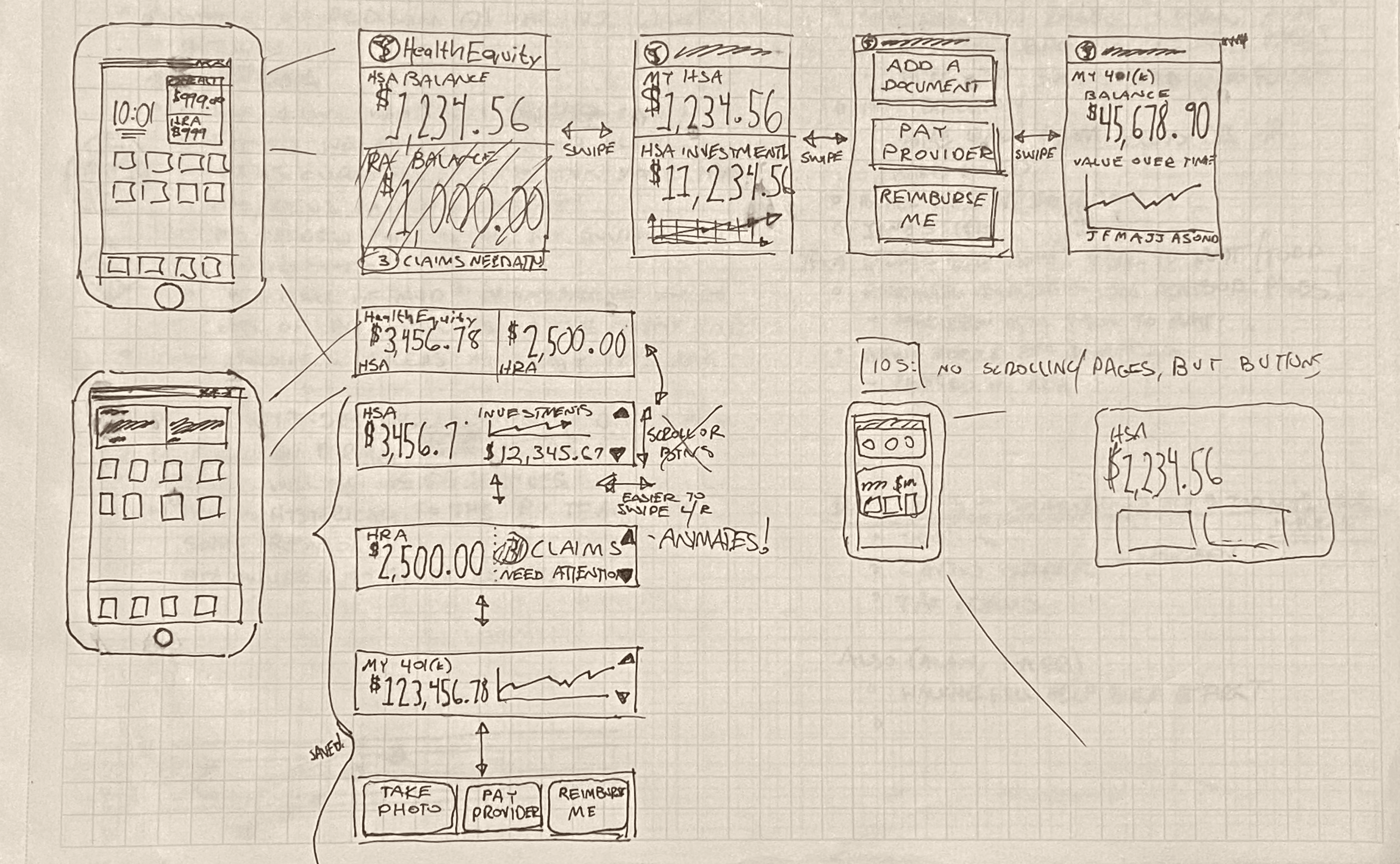
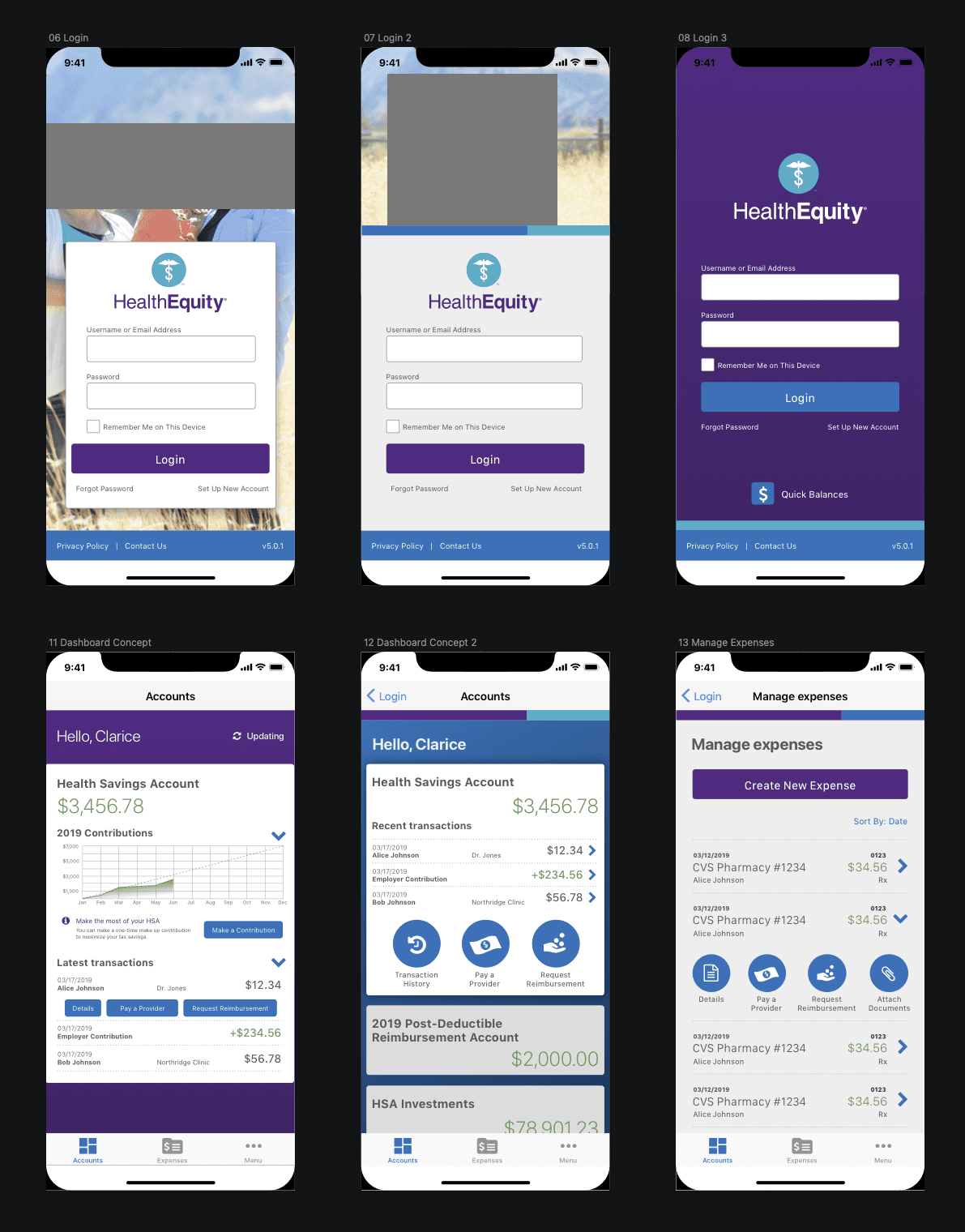
Early sketches of dashboard and widget concepts - early designs in Sketch for login, dashboard, and expense pages
Testing and Iteration
To test the app, I developed the design artboards into a prototype and tested with a variety of users across different age groups, comfort levels using mobile devices, and familiarity with HSAs to make sure that we had a better, more representative cross-section of our user base. This test helped us make important adjustments to the user flow.
Final Design
After several weeks of cross-collaborative iterations, a final design was built in Sketch and presented for buy-in from stakeholders.
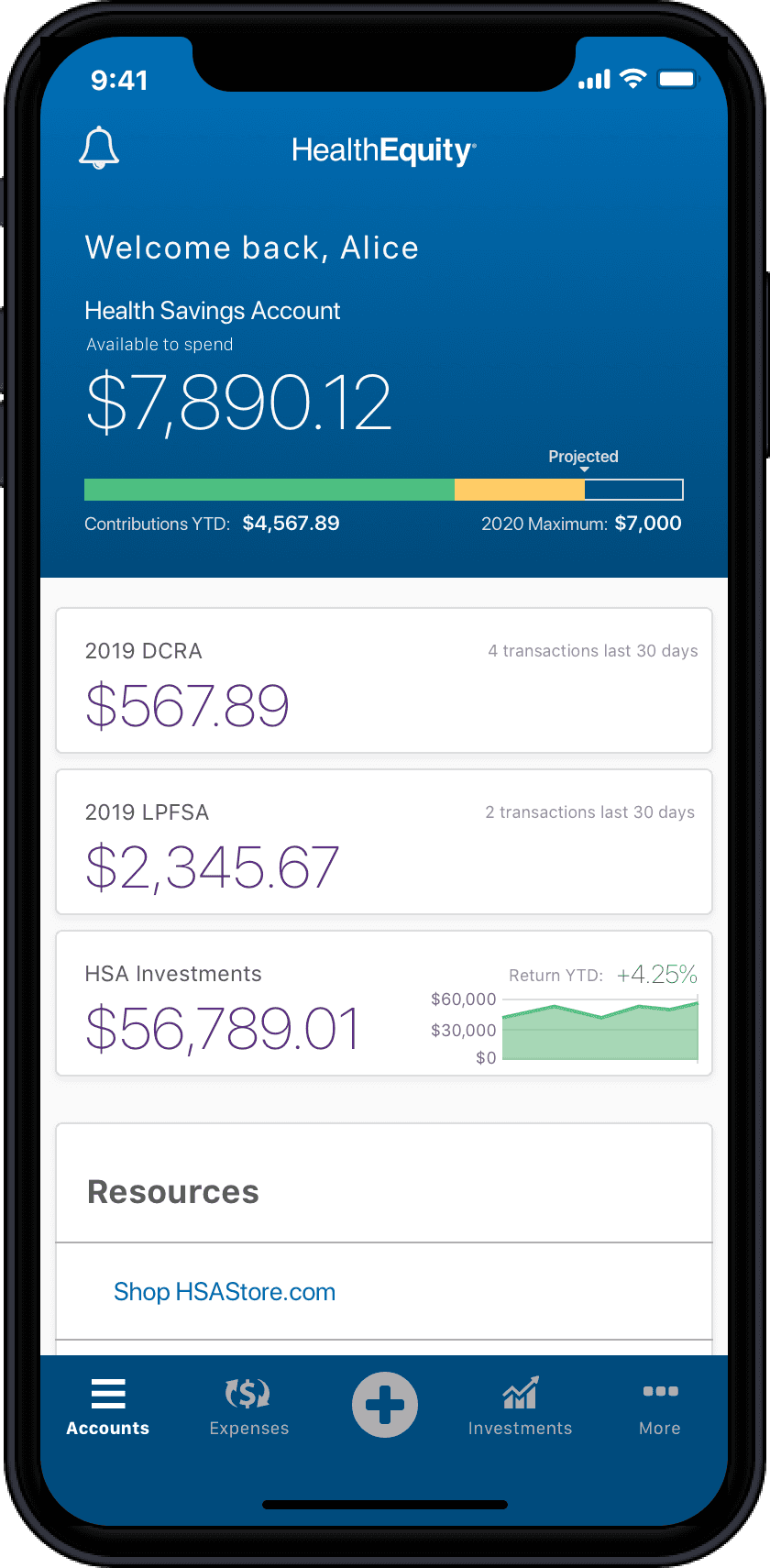
The member logs in to their mobile app, the banner advertises the new Health & Wellness center
Lessons Learned
Our members and stakeholders were happy with the outcome, though the journey to the launch date presented several unexpected bumps along the way. In a couple of cases we had to rapidly pivot some of the designs to accommodate previously unknown limitations in the new mobile tech stack. Some of the visual elements of the app designs would need to be adjusted to avoid derailing the launch date.
In addition, dealing with a platform with all the complexities of healthcare and finance meant that occasional edge cases would be discovered, making it necessary to rapidly adjust designs on the fly in response to launch timelines.
In the end we launched a product that the whole company could be proud of, and our app ratings over the next several weeks proved that it had been worth it to take any extra time available to empathize and learn about our members.